
PCAP Browser Overview
Browse the capture library, search across metadata and prepared capture fields, and jump into the analyzer.
The library lets you switch between capture scopes such as My captures, Shared with me, recent uploads, and any public/community library that your deployment exposes. Each row shows a histogram, packet counts, file size, owner, tags, and processing status. You can open capture details, download when permitted, adjust visibility when that workflow is enabled, or open matching packets without leaving the table.
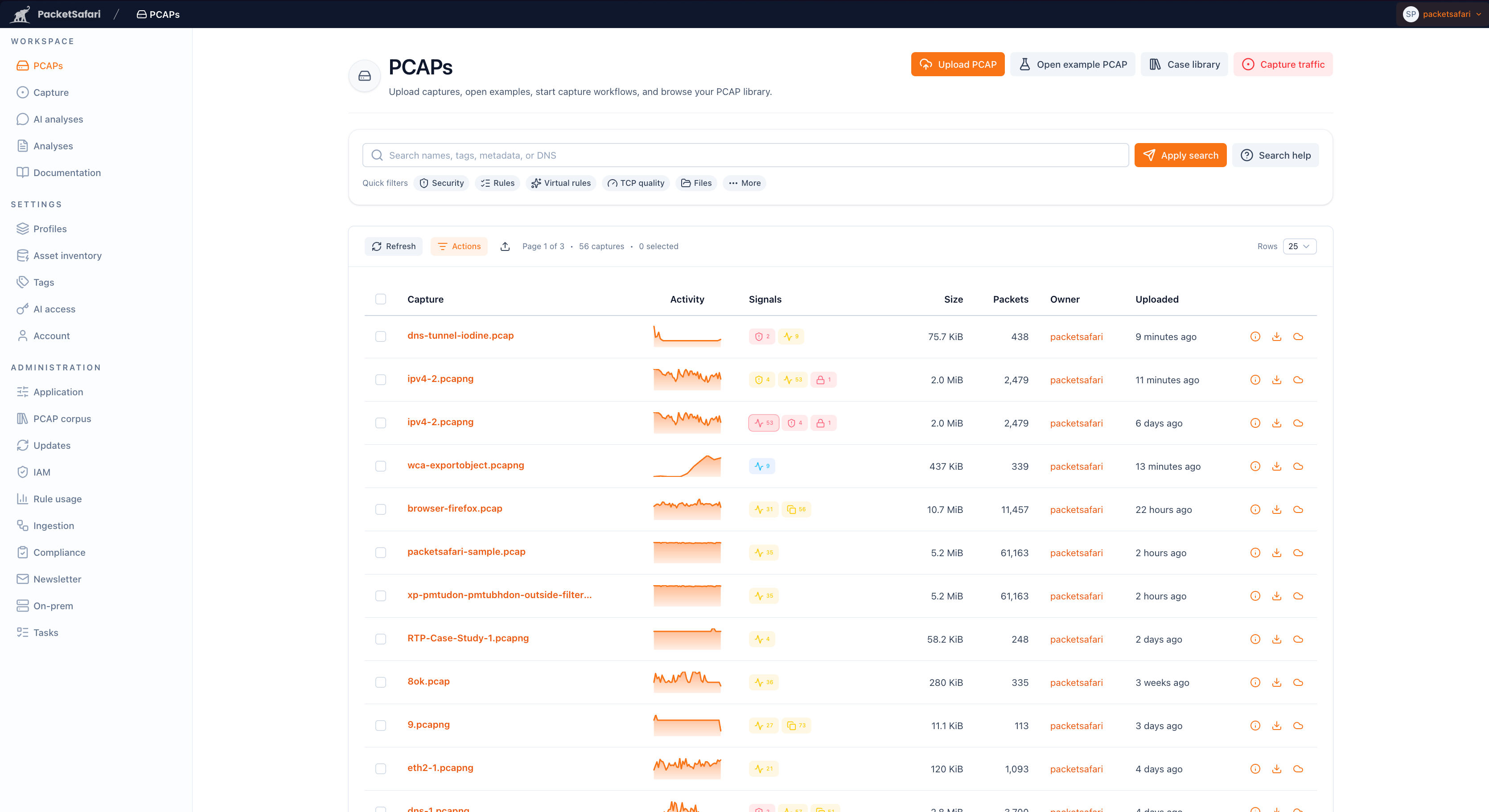
Key actions:
- Apply free-text or structured searches (metadata, DNS, TLS SNI, and prepared protocol fields) with helper examples.
- Reuse search examples from the built-in tips dialog.
- Open the capture summary or analyzer from the row action buttons.
- Use quick actions to show packets matching the current search or open stream matching when available.
Use mass actions for bulk tagging, reprocessing, visibility changes, or deletion.