
Mass Actions
Run bulk operations on selected captures from the library table.
Using mass actions
- Filter the table to the captures you want.
- Select rows or use the header checkbox to select all on the current page.
- Open Actions and choose what to run.
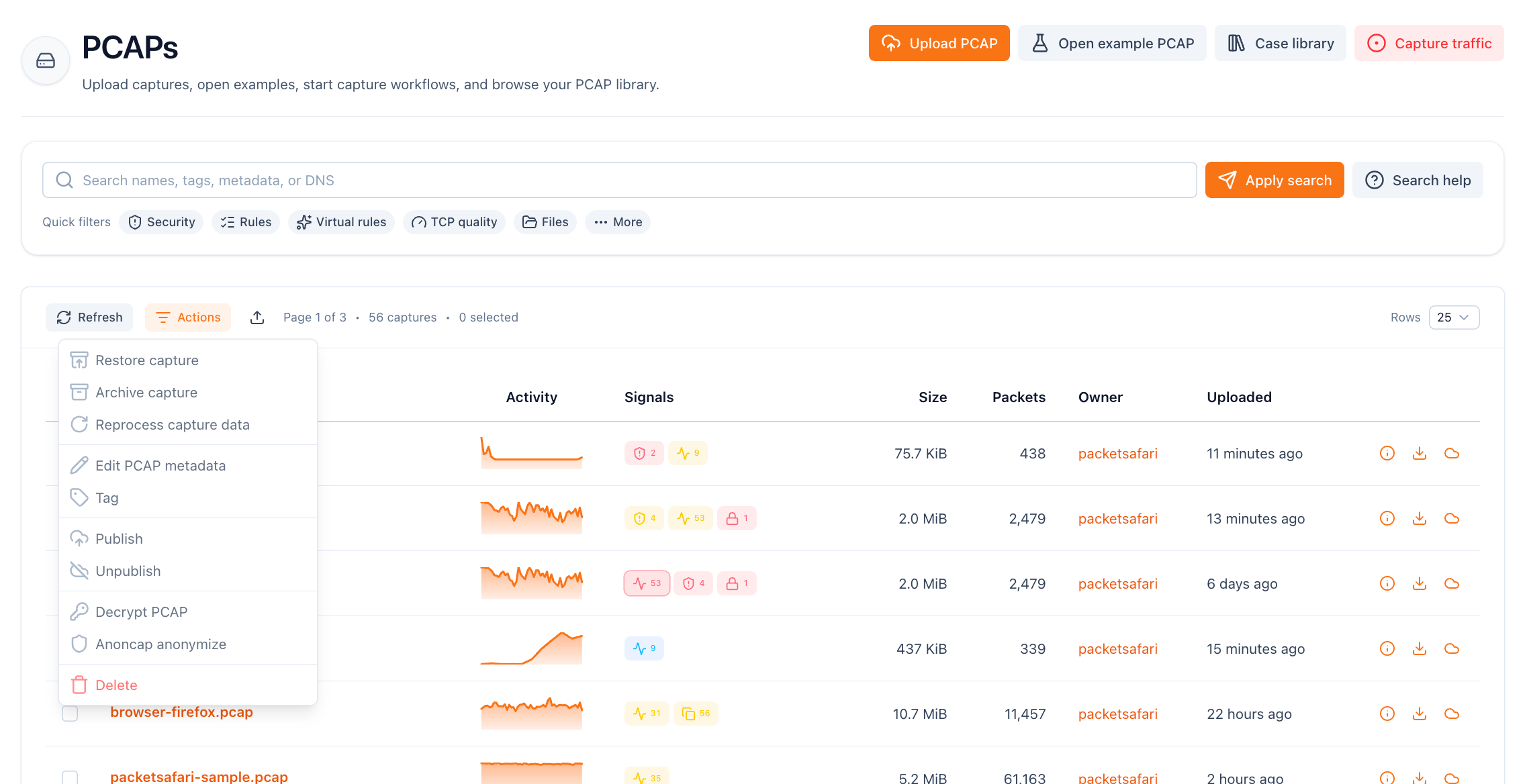
Available actions:
- Reprocess capture data. Re-run background processing for the selected captures without uploading again.
- Edit PCAP metadata. Update source URL, license, credits, description, or title across multiple captures.
- Tag. Add or remove tags that are common to all selected captures (unique tags stay untouched).
- Publish / Unpublish. Toggle public visibility in bulk.
- Decrypt PCAP. Attach an SSL key log to selected captures and enqueue decryption.
- Anoncap anonymize. Create anonymized copies of selected captures with configurable anoncap switches.
- Delete. Remove captures and their associated comments and analyses.
Deletion and reprocessing run server-side; large batches may take a moment to complete. Heavy operations can be throttled to keep the service responsive.