
Stats
Ranked issues, correlated findings, endpoint and conversation summaries, protocol hierarchy, and object export.
The Stats tab applies your current display filter and combines classic packet summaries with PacketSafari's ranked issue views.
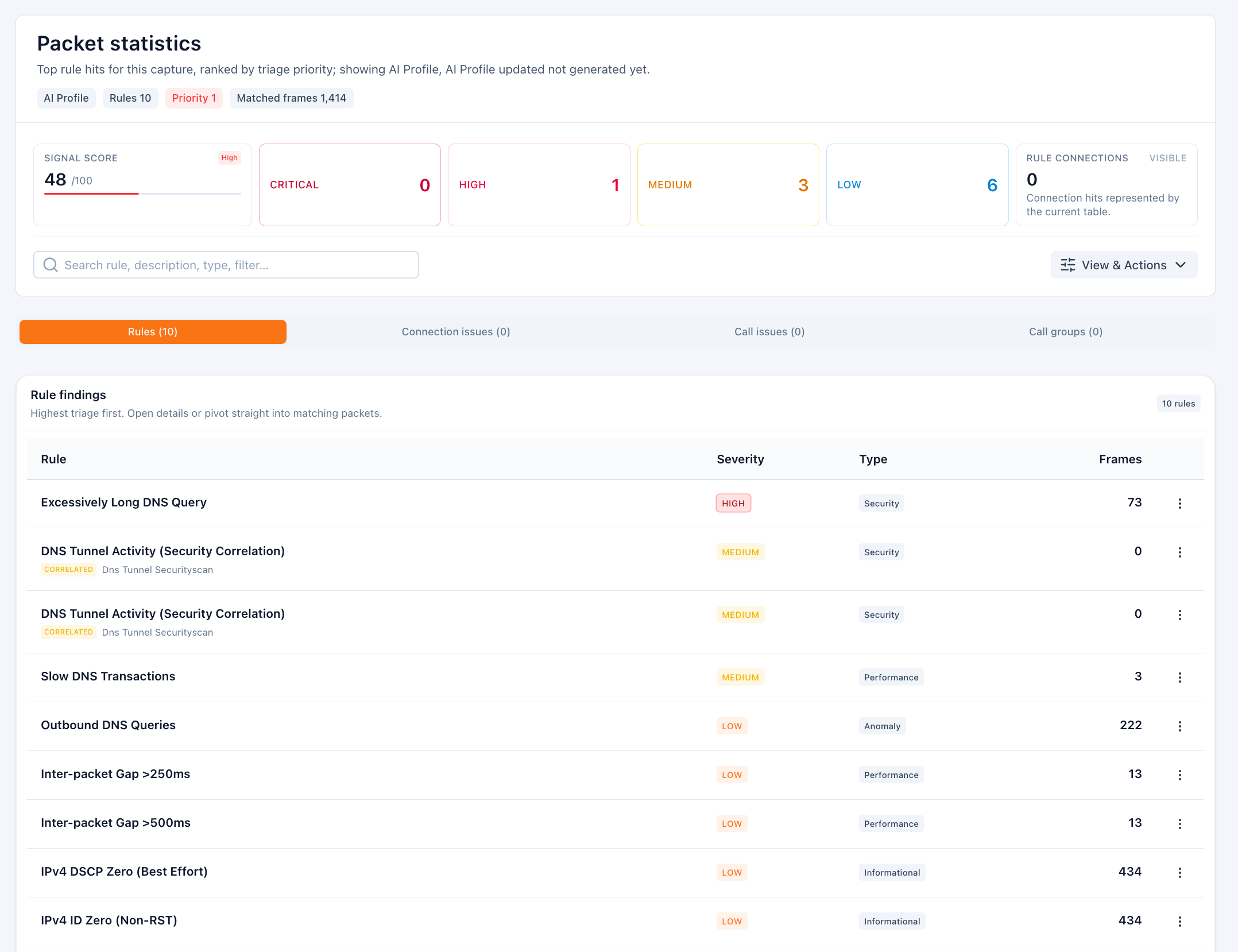
What you can inspect
- Ranked rule matches with severity, domain, and detail panels
- Correlated connection issues and call issues when post-index detectors produced grouped findings
- Endpoint and conversation summaries for the currently visible traffic slice
- Protocol hierarchy and distribution summaries
- Exported objects such as HTTP or SMB file artifacts when available
Why this view matters
- It is the fastest way to see what changed after you narrowed traffic with a display filter.
- It surfaces higher-level issues without forcing you to inspect packets one by one.
- It links grouped findings back to the connections and packets that caused them.
Typical workflow
- Apply a packet filter or open a specialist tab first.
- Switch to Stats to see which rules, issues, hosts, or conversations dominate that slice.
- Open rule or issue details to inspect reasons, confidence, and related connections.
- Pivot back into packets or connections from the detail actions.
Use this tab when you want a ranked overview. Use Infrastructure when you want inferred host and role modeling instead of packet-count summaries.