
Names
Inspect DNS, protected resolver hints, MAC labels, and other name-resolution context for a capture.
The Names tab groups together hostname, resolver, and label evidence that would otherwise be scattered across packets, protocol trees, and side panels.
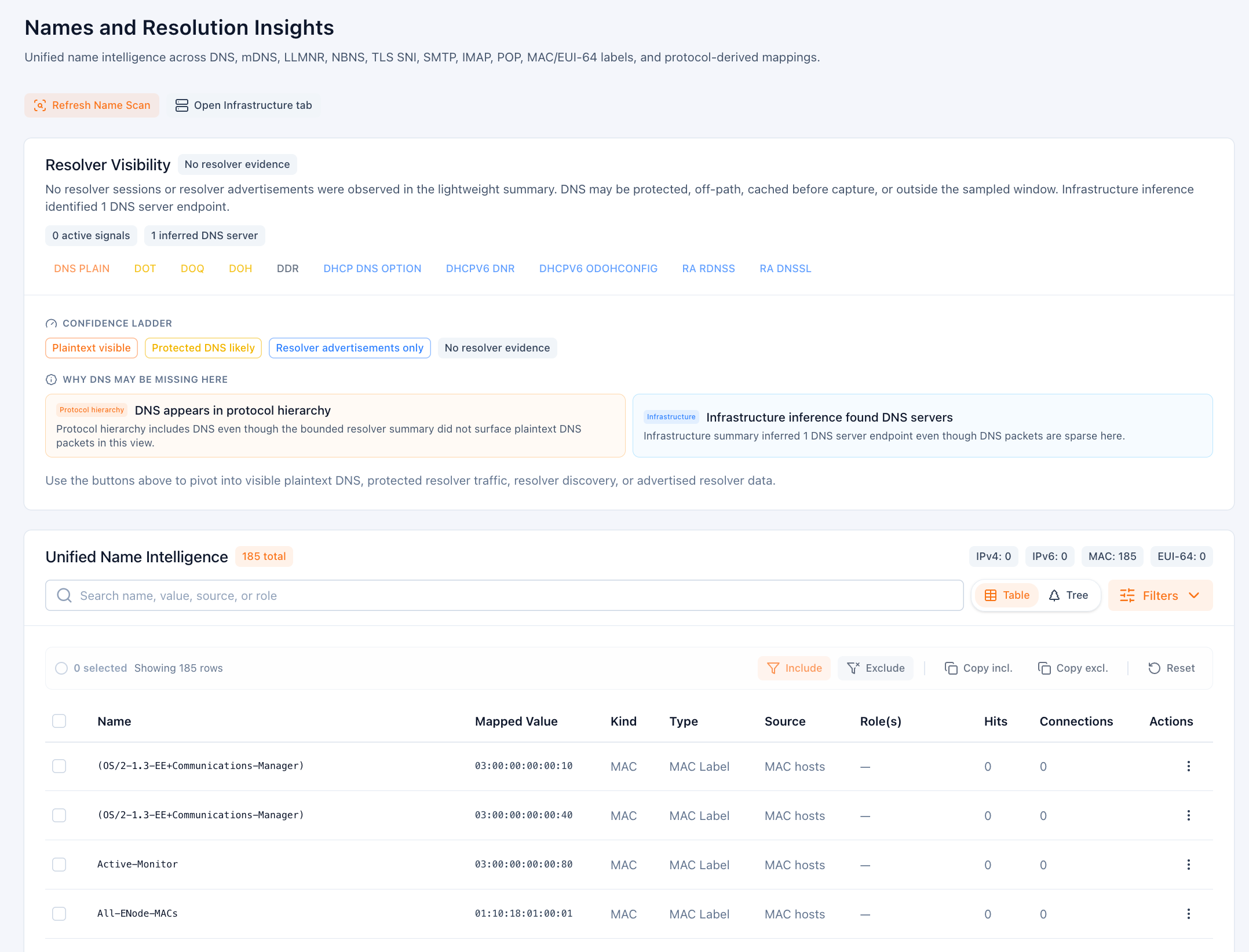
Use this view when you need to answer questions such as:
- Which names were observed directly in DNS, mDNS, LLMNR, NBNS, TLS SNI, or protocol-derived fields?
- Does the capture show plaintext DNS, signs of protected DNS, or no resolver evidence at all?
- Which hosts are most strongly associated with a name or role label?
What the page shows
- Resolver visibility summarises whether PacketSafari saw plaintext DNS, resolver advertisements, protected-resolver hints, or no direct evidence.
- Confidence ladder explains why DNS may appear absent even when protocol summaries still suggest name-resolution activity.
- Unified name intelligence lists names, mapped values, kinds, sources, hits, and related connections in one table.
Typical workflow
- Open Names when you want hostname context before building a manual filter.
- Review the resolver banner first so you know whether the capture contains direct DNS evidence or only indirect hints.
- Search or filter the unified table by name, source, role, or mapped value.
- Pivot into Infrastructure if you want host-role modeling, or into the packet list if you need packet-level proof.
This page complements DNS View. DNS View is narrower and DNS-focused; Names is the broader identity and label surface for the capture.