
Infrastructure
Inspect inferred hosts, roles, links, subnets, and service signals for the current capture.
The Infrastructure tab turns packet evidence into a host and service-role model. Use it when you want to understand what the network looks like, not just which packets matched a filter.
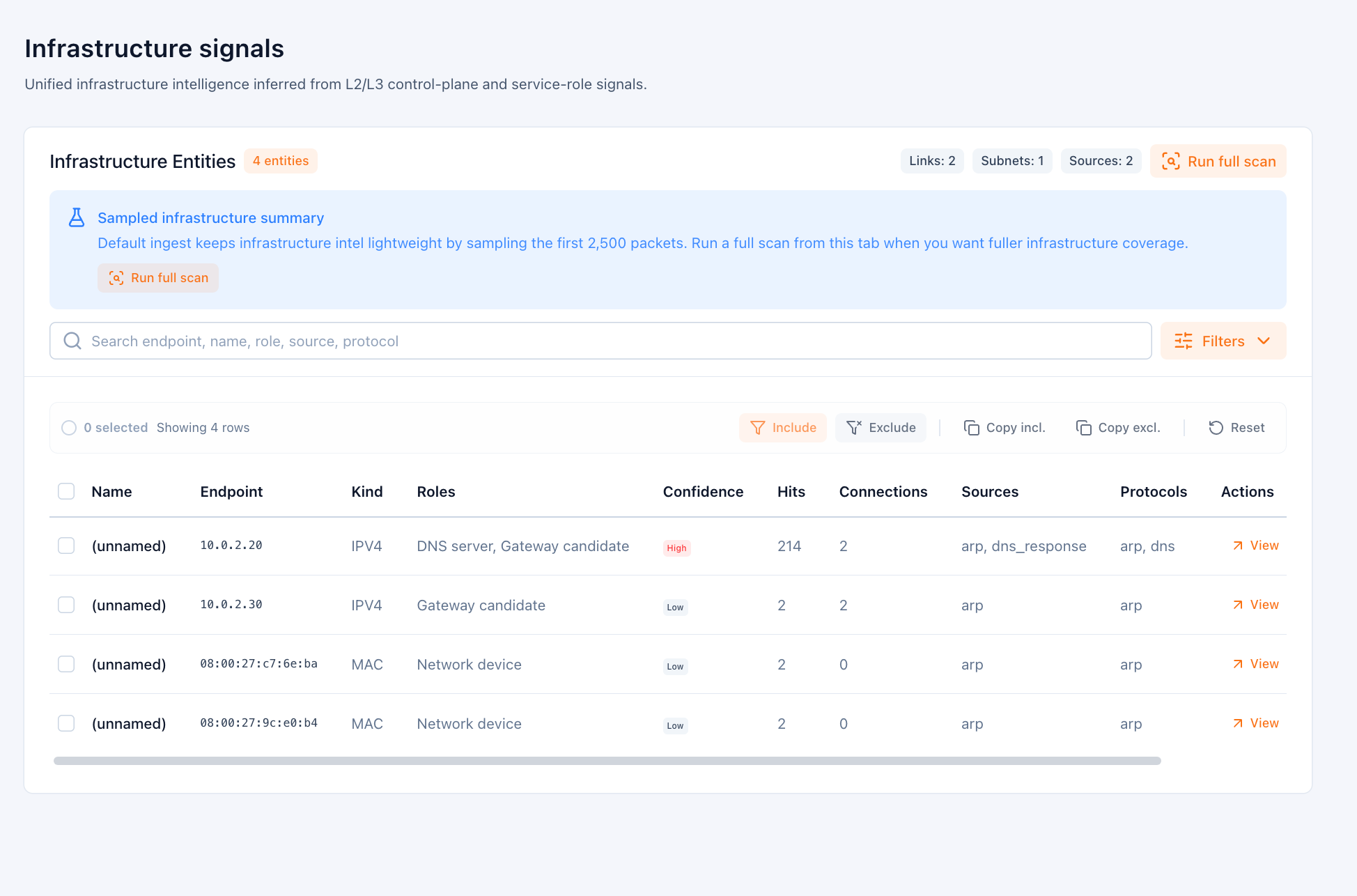
Infrastructure results can appear in stages:
- a fast first pass can provide early host and role context
- deeper infrastructure analysis can continue while the capture is refining
- larger captures can defer the heaviest infrastructure work until it is actually needed
What it infers
- Infrastructure entities such as hosts, appliances, or service roles
- Links between entities observed in the capture
- Subnet observations and environment hints
- Confidence and source information for each inferred role
Typical use cases
- Find likely servers, gateways, DNS resolvers, or controllers
- Separate client activity from infrastructure behavior
- Understand which subnets and roles appear in the capture
- Pivot from name-resolution data into broader host context
Working with the table
- Search by endpoint, name, role, source, or protocol
- Filter by kind, confidence, role, source, and protocol
- Sort by the strongest or most useful inferred signals first
- Open row details to inspect why PacketSafari inferred that host or role
Reading provisional infrastructure
On larger captures, infrastructure can be:
- sampled or preview first
- later upgraded to full coverage
That means the tab may already be useful before every expensive supporting query has completed, but PacketSafari should still label non-authoritative states clearly.
Related runtime behavior
Infrastructure is one of the clearest examples of adaptive analysis:
- the analyzer can open before deep infrastructure modeling is complete
- persisted infrastructure summaries are reused when they already exist
- deeper reruns can be queued instead of blocking first open on large captures
See also:
This is the closest current equivalent to a host view. Use Stats for endpoint counts and protocol totals; use Infrastructure for inferred identity and role modeling.