
Filter bar
Autocomplete filters, reuse saved buttons, and keep context while you navigate tabs.
The filter bar sits above the packet list. It accepts Wireshark-style display filters and offers suggestions based on prepared capture data, your recent filters, and matching fields.
- Autocomplete: start typing a field or value to see suggestions (e.g., DNS names, IPs, TLS SNI, HTTP hosts).
- AI indicator: when Copilot adds a filter, the bar shows an AI badge.
- Saved filter buttons: click the plus icon to save the current filter as a reusable button (organize with
//folders). Buttons appear inline for one-click application. - Filter buttons & menus: enable the packet information bar in your profile to show context buttons for the selected packet, or toggle it temporarily from the analyzer menu.
Press Enter or the Filter button to apply. Clearing the bar removes the filter and reloads the full packet list. Suggestions and buttons stay available as you switch between analyzer tabs.
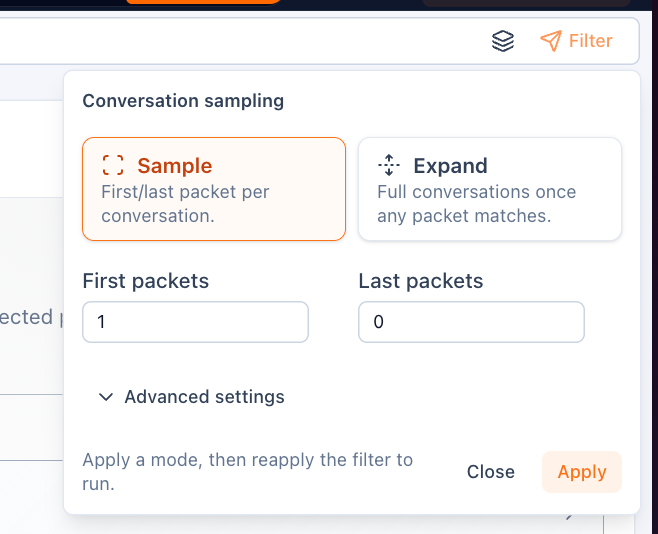
Conversation sampling is useful when you want a representative first/last packet slice per conversation instead of expanding every matching flow immediately.